
EyesUp™ Rider Navigation Dock
Rider Guide
Everything you need to fit, care for and get help with your EyesUp™ dock. Keep it clean, keep it sealed, and it will keep your eyes on the road.
Fit it in minutes.
EyesUp™ bolts onto your motorcycle's existing headlight mounting points. You will not drill, cut or modify anything.
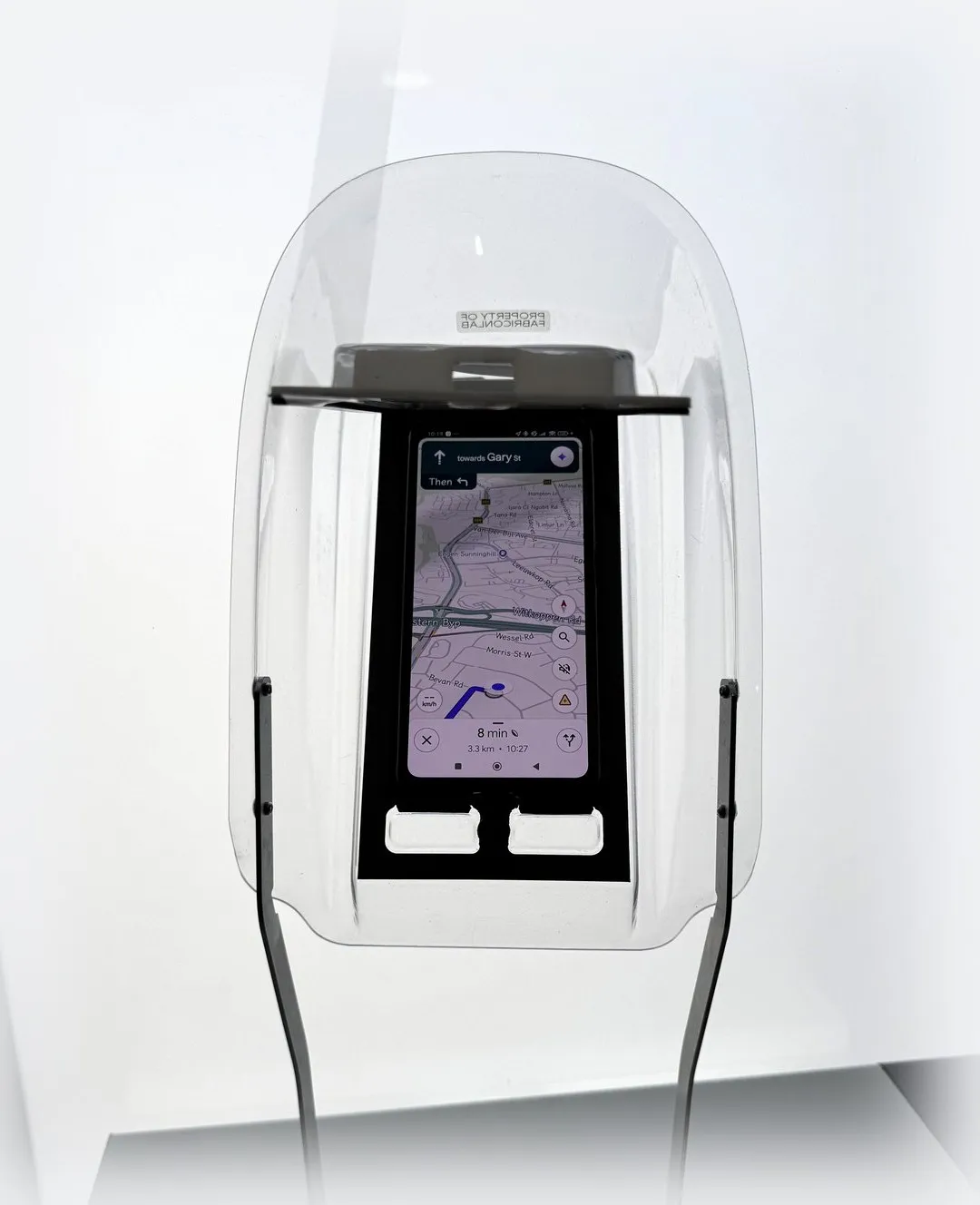
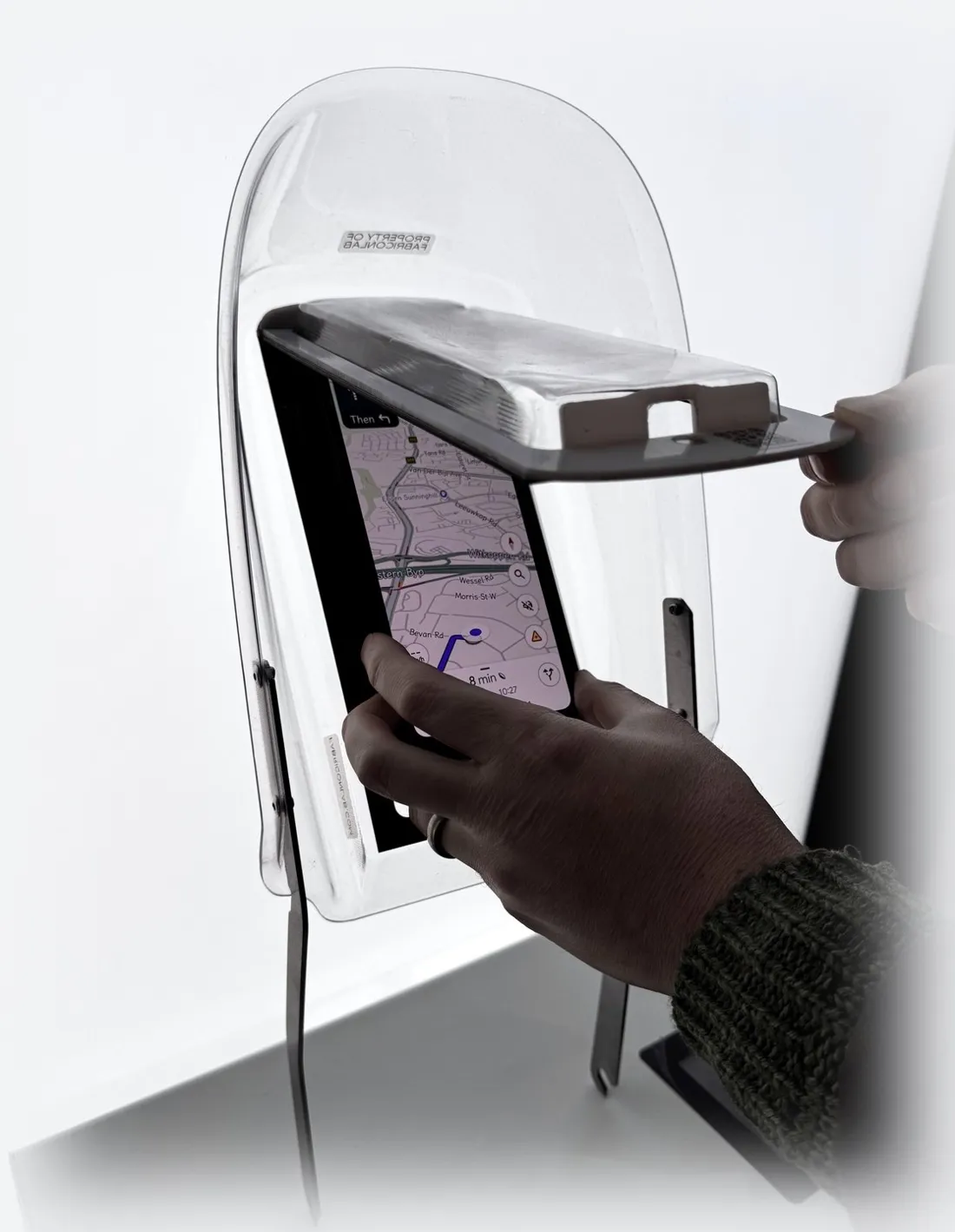
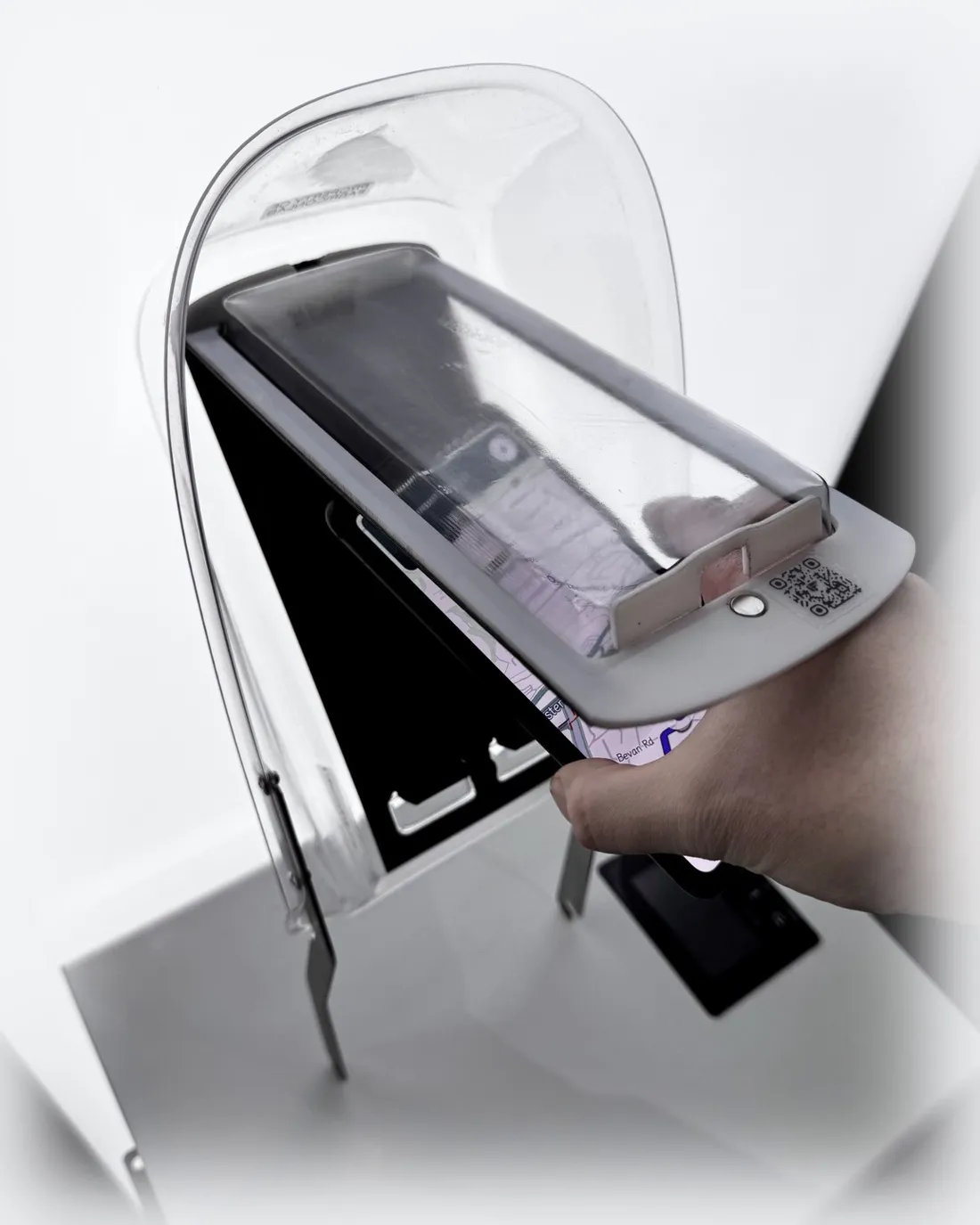
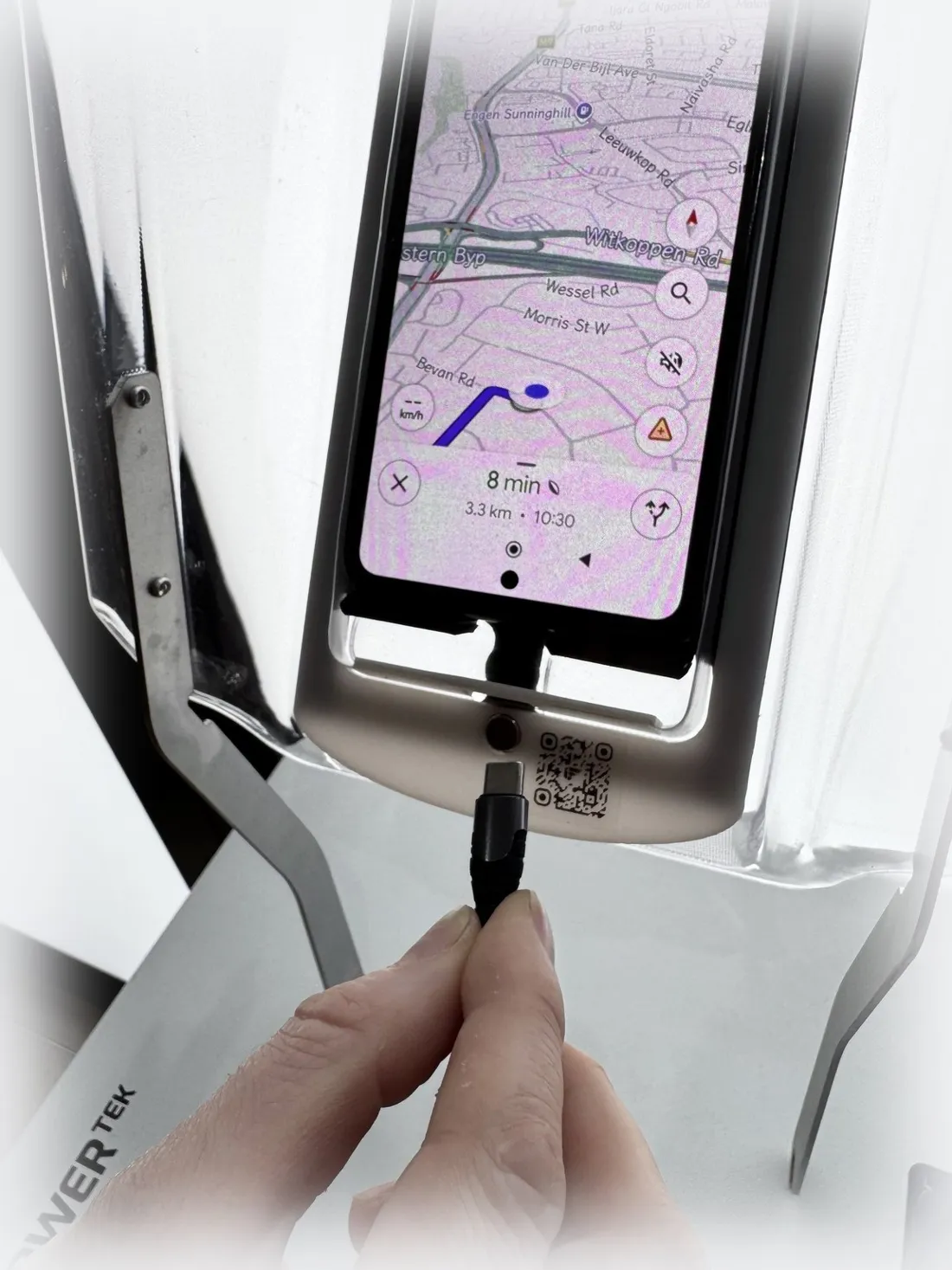
The touchscreen works through the flexible window, but set your route before you ride. Using a phone in your hand while riding is dangerous and illegal.
Clean it right.
It only takes a minute.
The visor is tough against knocks, but the wrong chemicals will permanently damage it and void the warranty. Stick to this list, always.
Always
- Rinse first with clean, lukewarm water to flush away sand and road grit
- Mild soap only: water with a few drops of dishwashing liquid or vehicle shampoo
- Microfibre cloths only, wiping gently — never paper towels, rags or shirts
- Air dry, or pat down lightly with a clean, dry microfibre cloth
Never
- No high-pressure washing — close-range pressure guns delaminate the dock
- No petrol, diesel, thinners, acetone or brake cleaner — they crack the acrylic
- No glass cleaners, alcohol wipes or sanitisers on any part of the dock
- No scouring pads, steel wool or stiff brushes — they scratch permanently
Bad weather protocol
If a severe hail or wind alert is active, park the bike undercover: inside a warehouse, under a carport or beneath any secure shelter. Storm damage where no reasonable precautions were taken is not covered by the warranty.
The viewing window is a wear part
The flexible window in front of your phone will pick up wear over time; that is normal. Replacement windows are low-cost and available through your fleet manager, so the whole dock never needs replacing for a worn window.
What's covered.
Every EyesUp™ dock is covered against defects in materials and workmanship under normal fleet use, from the date your fleet's batch was delivered.
| Component | Cover | Notes |
|---|---|---|
| Visor shell & bracket assembly | 12 months | PLEXIGLAS® shell, stainless-steel legs and rivets, replaced as a complete assembly. |
| Phone backing kit | 12 months | Coated steel backing plate, neoprene padding, magnetic strips and locking magnet, replaced as a kit. |
| PVC viewing window | Wear part | Covered against manufacturing defects on delivery; routine wear is not a warranty item. Replacements available via fleet management. |
Not covered
Damage from crashes, drops and tip-overs; stones and road debris; deliberate damage or attempted theft; petrol, solvents, sanitisers and other prohibited chemicals; pressure washing and abrasive cleaning; unauthorised modification or improper installation; and storm damage where the bike was left exposed during an active severe weather alert. If the sealed magnet cover is punctured or tampered with, the magnetic latch is no longer covered.
Where a claim is accepted, FabriconLab repairs or replaces the affected component and dispatches the replacement at its own cost. Full warranty terms are provided in your fleet's supply agreement.
Something wrong?
Report it in two minutes.
Take a clear photo of the problem, then send it with your batch number using either button below. Your batch number is printed beside the QR code on the dock. We respond within three business days, and if it is a warranty fault we send a replacement at our cost.
Attach your photo in WhatsApp or to the email before sending. Supervisors can also log faults on behalf of riders.